Appliance Tips & Advice

Garbage Disposal Not Working — How to Troubleshoot and Fix Common Problems

Your garbage disposal just went silent mid-cleanup, and now you’re standing at the sink wondering what went wrong. This guide walks you through the most common reasons a garbage disposal stops working and exactly what to do about each one, so you can get your kitchen back on track without guessing. A dead garbage disposal is one of those problems that feels bigger than it is. Flip the switch, nothing happens, and suddenly doing dishes becomes a whole ordeal. At Vancouver Appliance Service Pros, we hear from homeowners dealing with this regularly, and the good news is that most disposal problems follow a pretty short list of causes. Vancouver’s older housing stock, especially homes with kitchens that haven’t seen updates in a decade or two, tends to produce more of these calls than newer builds, partly because the disposals are aging right alongside everything else under the sink. There’s a logical order to troubleshooting this, and working through it step by step will either fix the problem or tell you exactly what you’re dealing with. Let’s get started. Key takeaways A disposal that’s completely silent points to a power problem first – check the outlet, GFCI, and breaker before assuming the unit is dead. A humming sound with no grinding almost always means the flywheel is jammed, not that the motor has failed. The reset button on the bottom of the unit is a built-in thermal overload – if it won’t stay in, the motor may need time to cool down, about 10 to 15 minutes. A 1/4-inch hex wrench inserted into the bottom port lets you manually rotate the flywheel to free a jam without touching the blades. Most replacement disposals run between $100 and $200, and swapping one out is a manageable DIY job if you buy the same brand as your existing unit. If the disposal is leaking from the bottom near the reset button, that typically signals a cracked internal seal, and replacement is usually the right call. Why your garbage disposal stopped working The honest answer is that it depends on what you’re hearing, or not hearing. Complete silence when you flip the switch points squarely at a power issue. A humming noise without any grinding action tells you the motor is getting electricity but the flywheel is stuck. Slow draining with the unit running normally suggests a clog downstream. Each symptom points in a different direction, which is why starting with what you observe matters. In our experience, the most common call we get goes like this: homeowner flips the switch, nothing happens, they assume the disposal is burned out. Nine times out of ten, it’s something much simpler. A GFCI outlet that tripped during a power blip, a plug that worked loose under the sink, or a reset button that popped and just needs to be pressed back in. These take two minutes to check and cost nothing to fix. That said, disposals do fail. The motor burns out, usually after years of use or after running jammed for too long. Internal seals crack. The flywheel corrodes if the unit sits unused for extended periods. Age matters, too – a unit that’s pushing 10 to 12 years old and showing multiple symptoms is probably ready to retire. What to check when the disposal is completely silent No sound at all when you flip the switch means the motor isn’t receiving power. Work through this in order before you do anything else. First, check whether the unit is plugged in. It sounds obvious, but items shift around under the sink all the time, and a plug can work loose without anyone noticing. If you can see the outlet, unplug it and plug in a lamp or phone charger to confirm the outlet itself is live. If you can’t access the outlet because the disposal is hardwired directly into the wall, skip to the next step. Next, look for a GFCI outlet. These are the outlets with the small test and reset buttons on the face, and they’re common in kitchens because code requires ground-fault protection near water. The one protecting your disposal circuit might not be right under the sink – it could be on a nearby counter outlet, behind the dishwasher, or even in another room sharing the same circuit. Press the reset button firmly. Some people find they need a pen or small tool to get it to click. The U.S. Consumer Product Safety Commission has useful information about GFCI outlets and why they trip, which can help you understand what you’re looking at. If the outlet and GFCI check out, head to the breaker box. Tripped breakers don’t always flip all the way to the off position – they stop somewhere in the middle, which makes them easy to miss. Look for any breaker that isn’t fully seated in the on position. Don’t rely on the labels, because those often haven’t been updated to reflect what’s actually on the circuit. Flip the suspected breaker fully off, then back on. The reset button on the disposal itself There’s a small button on the bottom of the disposal unit, usually red. This is the built-in thermal overload, and it pops out when the motor gets too hot. Press it firmly – it sometimes needs more pressure than you’d expect, and a pen or small screwdriver can help. If it clicks and stays in, restore power and test the unit. If the reset button pops right back out again, the motor is either still hot or there’s an ongoing issue. Give it 15 minutes to cool down, then try again. If it continues to trip immediately, that points to either a persistent jam or motor trouble. How to fix a jammed disposal If you’re hearing a hum when you flip the switch but the disposal isn’t grinding, the flywheel is jammed. The motor is running, trying to turn, but something is blocking it. Turn the unit off right away when this happens –

Garbage Disposal Not Working — How to Troubleshoot and Fix Common Problems Read More »

Oven Not Heating Evenly — Why Hot and Cold Spots Happen and How to Fix It

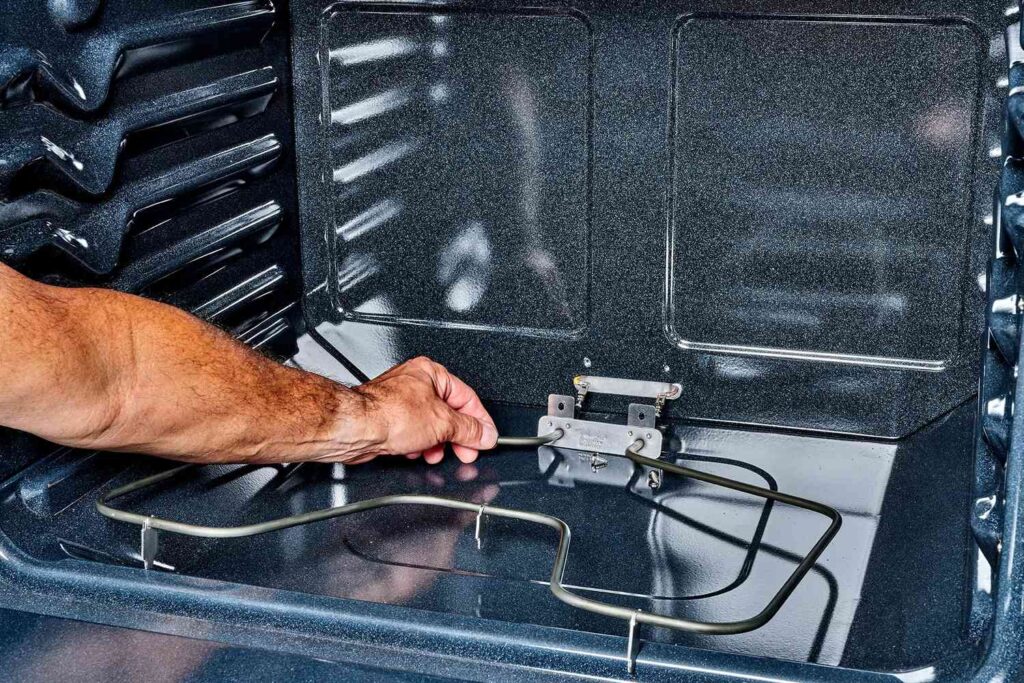
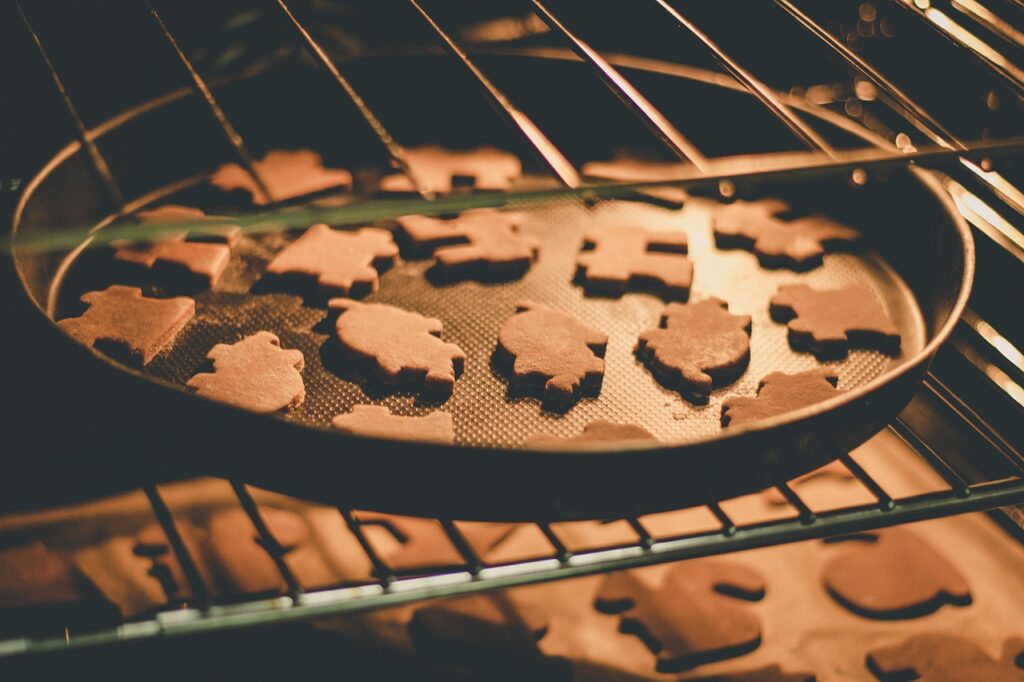
You set the oven to 375°F, followed the recipe exactly, and pulled out a pan where one side is golden brown and the other looks like it needs another 20 minutes — nobody wants to come home to that kind of guesswork every single night. This guide breaks down exactly why ovens develop hot and cold spots, what you can fix yourself today, and when it makes sense to call in a professional. Uneven oven heating is one of those problems that sneaks up on you. At first you think the recipe is off, or you left it in too long, or maybe you just had a bad baking day. Then it happens again. And again. At that point, it’s not the recipe — it’s the oven. At Vancouver Appliance Service Pros, we see this kind of thing constantly. Homeowners across Vancouver bring us into kitchens where the oven technically “works” but turns every bake into a coin flip. The good news is that most of the causes are well understood, and a lot of them are fixable without spending a fortune. Key takeaways A faulty bake element, miscalibrated thermostat, or damaged temperature sensor are the most common mechanical reasons an oven heats unevenly. Simple habits — like overcrowding racks, lining the bottom with foil, or opening the door repeatedly — can cause uneven results even in a perfectly functioning oven. Replacing a temperature sensor typically costs around $20-$50 for the part alone, making it one of the more affordable DIY repairs. The temperature sensor is usually located in the top right corner of the oven cavity and should sit at a 90-degree angle — even a slight shift can throw off readings. Convection mode circulates hot air with a fan and can dramatically reduce hot spots, but positioning your dish too close to the fan creates its own uneven results. If your oven runs consistently hotter or cooler than the display shows, most models allow thermostat recalibration of up to 35°F through the settings menu. Why ovens heat unevenly in the first place Ovens heat unevenly because the heat source — whether it’s an electric element or a gas burner — sits in one fixed location, usually the bottom. That heat has to travel, radiate, and circulate through the entire cavity to cook food evenly. Anything that disrupts that circulation creates hot and cold pockets. In a functioning oven, the thermostat, sensor, and airflow work together to manage this. When one part of that system slips, the balance falls apart. The back of most ovens runs hotter than the front because the heating elements sit toward the rear and more heat escapes through the door. This is normal to a degree. What’s not normal is a drastic temperature difference — like one half of a cookie sheet burning while the other half is still raw. That’s a sign something specific has gone wrong. In our experience, the problem is rarely one dramatic failure. More often it’s a combination of a slightly off-kilter sensor, an aging element that’s lost some output, and a few user habits that make an existing issue worse. Understanding which factors are at play helps you fix the right things. The main causes of oven hot spots and cold spots Let’s take a look at the most common culprits, starting with the ones you can check yourself right now. The heating element In an electric oven, the bake element sits along the bottom and does most of the work. If it’s weakened, cracked, or partially burned out, it won’t produce consistent heat across its full length — which means one side of your oven gets more heat than the other. You can spot a failing bake element visually. Look for dark spots, blistering, or visible breaks along the element. A healthy element glows consistently red when the oven is running. An uneven or interrupted glow tells you something is wrong. A faulty bake element is one of the more common calls we get. The part itself is usually reasonable — often in the $30 to $80 range depending on your model — but installation involves working near electrical connections, so it’s worth deciding honestly whether this is a DIY job for you or one to hand off. The temperature sensor The temperature sensor is a thin metal probe, usually tucked into the top right corner of the oven cavity. It works with the control board to tell the oven when to cycle the heat on and off. If it’s sitting at the wrong angle, touching the oven wall, or starting to fail, it gives inaccurate readings — and the oven responds to those bad readings rather than the actual temperature inside. The fix is sometimes as simple as repositioning the sensor back to its proper 90-degree angle once the oven has cooled completely. If repositioning doesn’t help, you can test it with a multimeter. A working sensor’s resistance should rise as the oven heats up. If it stays flat, the sensor is bad and needs replacing. This is generally a $20-$50 part and a straightforward swap for someone comfortable with basic appliance work. Thermostat calibration Your oven display says 350°F. Your oven thermometer says 310°F. That 40-degree gap is calibration drift, and it’s more common than most people realize. Most ovens, even fairly new ones, can run 15 to 25 degrees off their stated temperature at any given moment. When calibration is significantly off, you’ll see uneven results because the oven cycles its heat at the wrong times. Pick up a standalone oven thermometer — they run about $10 to $15 — and place it in the center of your oven. Let the oven fully preheat, then wait another 10 minutes before checking. Most people are surprised how far off their oven actually runs. If the gap is consistent, you can often adjust it yourself through the oven’s settings. Most models allow recalibration of up to 35°F. Check your manual for the exact process for

Oven Not Heating Evenly — Why Hot and Cold Spots Happen and How to Fix It Read More »

Refrigerator Not Cooling Properly — Troubleshooting Steps Before Calling a Repair

Your refrigerator is running, the light comes on when you open the door, but nothing inside is cold — and whatever was fresh yesterday is already starting to turn. This guide walks you through the most common reasons a fridge stops cooling and what you can check yourself before spending money on a service call. A warm refrigerator is one of those problems that starts as a minor annoyance and turns into a genuine mess — spoiled groceries, mystery odors, and the nagging feeling that something expensive is about to happen. The good news is that most cooling problems have surprisingly simple causes. At Vancouver Appliance Service Pros, we get these calls regularly, and more often than not, the fix doesn’t require pulling the fridge apart. It requires a flashlight and about twenty minutes. Vancouver’s climate plays a role here too. Homes in the Lower Mainland run their kitchens year-round in conditions that shift from damp and cool winters to warmer summers, and that temperature variation outside can affect how hard your fridge works to maintain its internal environment. Older homes, in particular, tend to have kitchen layouts where the fridge is squeezed into tight spaces with poor ventilation — which is one of the first things worth checking. Key takeaways The ideal refrigerator temperature is between 33°F and 40°F, with 37°F being the sweet spot for keeping food fresh without freezing it. After a reset or temperature adjustment, give the fridge up to 24 hours to fully stabilize before assuming the problem is still there. Dirty condenser coils are one of the most common and most overlooked causes — cleaning them every two to three months can prevent most cooling issues in pet-friendly or dusty homes. Refrigerators need at least half an inch of clearance on the sides and one inch at the back to dissipate heat properly. If ice is building up on the back wall of the freezer compartment, the self-defrost system may have failed — and that usually needs a technician. Compressor problems, refrigerant leaks, and faulty circuit boards are worth diagnosing professionally before spending money on parts. Why your refrigerator stopped cooling A fridge stops cooling for one of two broad reasons: either something is preventing cold air from circulating properly, or the system that generates cold air in the first place has a problem. The first category you can usually fix yourself in an afternoon. The second category almost always needs a pro. Start simple. Check that the fridge is actually plugged in and that the breaker hasn’t tripped. It sounds obvious, but a surprising number of “broken” fridges turn out to be unplugged after someone cleaned behind them or bumped the outlet. If the interior light comes on, power isn’t your problem. Next, check the thermostat setting. Food items or curious kids can accidentally nudge the dial, and a thermostat set too warm will make a perfectly functional fridge feel like it’s failing. The target range is 33°F to 40°F — anything above that and your food is in a grey zone. In our experience, these first two checks alone resolve a good chunk of calls. But if the settings look right and the fridge is still warm, you need to dig a little deeper. Check the condenser coils first If there’s one maintenance task most homeowners never do, it’s cleaning the condenser coils. These coils — usually located along the bottom or back of the refrigerator — release the heat that gets pulled out of your fridge. When they’re coated in dust, pet hair, or kitchen grease, they can’t do that job efficiently. The compressor works harder, the fridge runs warmer, and eventually something gives. Cleaning them isn’t complicated. Unplug the fridge, pull it away from the wall, and use a vacuum with a brush attachment to clear the buildup. If there’s significant pet traffic in your home, or if your kitchen tends to get greasy, do this every two to three months. Most people do it never, which is why it causes so many problems. The U.S. Department of Energy’s guidance on refrigerator efficiency specifically mentions coil maintenance as one of the simplest ways to keep the appliance running properly. While you have the fridge pulled out, check the clearance. It needs at least half an inch on the sides and a full inch at the back. Press it too close to the wall and you’re trapping heat right where it needs to escape. This is especially common in older Kitsilano and East Vancouver homes where kitchens were designed before modern refrigerators and space is tight. Look at airflow inside the fridge It’s easy to overstuff a refrigerator, especially after a big grocery run. But when food is crammed in front of the vents, cold air can’t circulate, and the result is exactly what you’d expect — warm spots, uneven cooling, and food spoiling faster than it should. Open the fridge and look for the air vents, usually located at the back wall or between the fridge and freezer sections. If anything is blocking them, move it. This fix costs nothing and takes two minutes. While you’re in there, check the freezer compartment too. A vent that’s completely frosted over is a different issue — it means the self-defrost system may not be doing its job, and you’ll need to address that separately. Overpacking also causes a subtler problem: the fridge has to work much harder to cool a dense load of warm groceries you just brought in from the car. After a big shop, give it a few hours before assuming something is wrong. Adding hot food makes the same thing happen — a pot of warm leftovers going straight into the fridge will raise the internal temperature noticeably and it can take time to recover. Inspect the door gaskets The rubber seal running around the edge of the door is what keeps cold air in and warm air out. Over time it gets dirty, compressed, or cracked —

Refrigerator Not Cooling Properly — Troubleshooting Steps Before Calling a Repair Read More »

Blog thumbnail for an article on the topic of dishwasher not starting, common causes and how to troubleshoot them.

Dishwasher Not Starting? Common Causes and How to Troubleshoot

Dishwasher Not Starting? Common Causes and How to Troubleshoot Dealing with a dishwasher that won’t start after loading up all your dishes from last night’s dinner party? Don’t panic – we’ll walk you through the most common culprits behind this frustrating issue and show you exactly what you can do to get your trusty kitchen helper back up and running.Picture this: you’ve just finished hosting a fabulous dinner party in your beautiful Kitsilano condo, and you’re ready to load up that dishwasher and call it a night. But when you press start, absolutely nothing happens. Trust me, I’ve been there, and it’s like your kitchen appliance just decided to ghost you at the worst possible moment!The good news is that a dishwasher not starting is usually caused by some pretty straightforward issues that don’t require a complete appliance overhaul. From simple user errors (we’ve all been there) to minor component malfunctions, most of these problems can be diagnosed and often fixed without breaking the bank. Key Outtakes: Door latch and switch issues are the most common reasons why dishwashers won’t start, even when they have power Simple fixes like power cycling your dishwasher or disabling control lock features can resolve many startup problems Control board malfunctions may require professional diagnosis but power resets often work as a first step Checking for blockages in drains and ensuring proper door closure can prevent future startup issues Professional repair costs typically range from $100-400 depending on the component that needs replacement Understanding Why Your Dishwasher Has Power But Won’t Start When your dishwasher lights up like a Christmas tree but refuses to actually begin its cleaning cycle, you’re dealing with what appliance pros call a “power but no start” situation. This scenario is actually more common than you might think, especially in busy Vancouver households where dishwashers get daily workouts. The fact that your control panel is responsive and buttons are beeping normally tells us that electricity is flowing properly to the unit.The real issue lies somewhere in the communication chain between your dishwasher’s brain (the control board) and its ability to actually initiate a wash cycle. Think of it like having a car that turns on and all the dashboard lights work perfectly, but when you turn the key, the engine just won’t fire up. There’s clearly a disconnect happening between the “thinking” part of the appliance and the “doing” part.Most homeowners in areas like Mount Pleasant and Commercial Drive experience this type of dishwasher hiccup at least once during their appliance’s lifetime. The silver lining? Since your dishwasher is getting power, you’ve already eliminated one of the biggest potential problems, which means we’re dealing with something much more manageable. Door Latch and Switch Problems Now that we’ve established your dishwasher is getting power but not starting, let’s dive into the most likely culprit: door latch and switch issues. These components work together like a security system for your dishwasher, ensuring that no wash cycle can begin unless the door is properly sealed and locked. It’s basically your dishwasher’s way of saying “safety first” – because nobody wants gallons of soapy water flooding their kitchen floor!The door latch mechanism consists of two main parts: the physical latch that catches and holds the door closed, and the electrical switch that signals to the control board that it’s safe to start washing. When you close your dishwasher door, you should hear a satisfying “click” as the latch engages. If this sound is absent or seems weak, you’ve likely found your problem right there.Sometimes the issue isn’t mechanical failure but rather something as simple as a misaligned door. I’ve seen countless situations where homeowners in areas like Fairview or False Creek have had their dishwashers installed just a tiny bit off-center, causing the door to not quite latch properly even though it appears closed. You can test this by gently pushing on different areas of the closed door to see if you can achieve a more secure latch. Testing Your Door Latch Switch If the physical latch seems fine but your dishwasher still won’t start, the electrical switch component might be the issue. This switch is essentially a small button that gets pressed when the latch engages, sending a “go ahead” signal to the control board. Over time, these switches can wear out or get gunked up with kitchen grease and debris.To test this, you can remove the front panel of your dishwasher and locate the door switch assembly – it usually looks like a small plastic housing with two micro switches inside. Using something like a wooden skewer or small screwdriver, gently press each switch while trying to start a cycle. If your dishwasher suddenly springs to life, you’ve identified a faulty door switch that needs replacement.Keep in mind that working inside your dishwasher’s control area involves electrical components, so if you’re not comfortable with this type of troubleshooting, it’s absolutely worth calling in a professional. The switches themselves are relatively inexpensive parts, but improper installation could lead to bigger problems down the road. Control Lock and User Settings Issues Before you start dismantling anything or calling for backup, let’s check some of the simpler explanations for why your dishwasher won’t start. Moving on from mechanical issues, we need to explore the possibility that your dishwasher is actually working perfectly fine – it’s just following instructions you might not remember giving it. Modern dishwashers are loaded with safety features and user options that can sometimes feel like they’re working against you.The control lock feature is probably the sneakiest culprit when it comes to dishwashers that won’t start. This feature is designed to prevent accidental operation, especially in households with curious kids who love pressing buttons. When activated, the control lock disables all buttons except the unlock sequence, and many models don’t make it immediately obvious that this feature is engaged.Look for a small lock icon on your display panel, or try pressing and holding the button labeled “Control Lock,” “Child Lock,” or any

Dishwasher Not Starting? Common Causes and How to Troubleshoot Read More »

Blog hero image for an article on the topic of washing machine leaking water, where it's probably coming from.

Washing Machine Leaking Water — Where It’s Coming From and How to Fix It

Noticed mysterious puddles around your washing machine after a load? Join the club – we’re diving into the most common causes of washing machine leaks and exactly how to track down that sneaky water source! Picture this: you’re feeling all accomplished after tackling that mountain of laundry, only to discover your laundry room floor has turned into a mini swimming pool. Ugh, right? Before you start panicking about buying a new washer or calling in the cavalry, take a deep breath. Most washing machine leaks are totally fixable, and some are so simple you’ll literally face-palm when you discover the culprit. As someone who’s been helping Vancouver homeowners tackle appliance mysteries for years, I’ve seen it all – from the “oops, I used way too much detergent” floods to the more sneaky internal seal failures. Whether you’re dealing with this drama in your Kitsilano condo or your family home in Richmond, the troubleshooting steps are pretty much the same. Key Outtakes: Most washing machine leaks stem from overloading, clogged filters, or loose hose connections – totally fixable issues The timing and location of water can give you major clues about what’s actually broken Some leaks happen during specific cycle phases, which helps narrow down the problem area Simple maintenance like cleaning filters and checking hose connections can prevent most leaks Internal component failures like pump or seal issues usually require professional repair Understanding Where That Water Is Actually Coming From Let’s get real about leak detection first. Not every puddle around your washer is actually a washer problem – shocking, I know! Sometimes it’s condensation from your dryer, a backed-up floor drain, or even that coffee you spilled yesterday. The key is figuring out if your washing machine is the actual culprit. Start by doing the old “wipe everything down and run a test cycle” trick. Clean up all the water, dry the area completely, then run a short wash cycle while you play detective. If water appears again, congrats – you’ve got a genuine washer leak on your hands. Pay attention to when the water shows up during the cycle, because timing is everything in leak diagnosis. The location of the water also tells a story. Water pooling directly under the machine usually points to internal issues like pump problems or seal failures. Water appearing near the back suggests hose troubles, while front-of-machine puddles often mean door seal drama or overflow situations. Common Causes of Washing Machine Water Leaks Now for the fun part – playing CSI with your laundry appliances! The most common leak culprits fall into a few categories, and knowing what to look for can save you tons of time and potentially some cash. Overloading is honestly the biggest troublemaker I see, especially in busy Vancouver households where everyone’s trying to power through laundry day. When you stuff too many clothes in there, water can slosh around where it shouldn’t, or the whole machine goes off-balance and forces water past seals. I get it – time is precious, especially when you’re juggling work and family life in Burnaby or anywhere else in our busy metro area. Connection issues are another major player. Those fill and drain hoses take a beating over time, and Vancouver’s hard water doesn’t do them any favors. Loose connections, worn rubber washers, or kinked hoses can all create leaks. The good news? Most of these are pretty straightforward to fix once you know what you’re looking for. Filter and Drainage Problems Here’s something that catches a lot of people off guard – that little filter in your washing machine needs attention too. Most front-loading washers have a debris filter that catches everything from lint to the occasional Lego piece (we’ve all been there). When this filter gets clogged, water backs up and finds creative ways to escape your machine. The filter is usually located behind a small panel at the front of your washer, and cleaning it is surprisingly satisfying. You’ll be amazed at what comes out of there – hair ties, coins, tissues that somehow survived the pocket check. Just make sure you have towels ready because there’s usually some water that comes out with the filter. Drainage issues can also masquerade as washer leaks. If your home’s drain pipe is backing up, water from the washer’s drain cycle can overflow and make it look like your machine is leaking. This is especially common in older Vancouver homes where the drain systems weren’t designed for modern high-efficiency washers that drain water much faster than vintage machines. Internal Component Failures Sometimes the problem is hiding inside your machine where you can’t easily see it. Water pumps, tub seals, and internal hoses can all fail over time, creating leaks that seem to come from nowhere. These issues typically require taking panels off your machine or even partially disassembling it. The water pump is particularly sneaky because when it starts failing, water can leak out slowly during certain cycle phases. You might notice water only appears during the drain cycle, or only when the machine is working extra hard on a heavy load. Internal seals, especially the main tub seal, can also develop leaks that cause water to drip steadily from the bottom of the machine. One homeowner discovered their mysterious leak was actually coming from a backed-up drain line, even though all the visible connections looked perfectly fine. The water was draining from the washer, hitting the blockage, and overflowing back onto the floor. Troubleshooting Your Specific Leak Time to channel your inner detective and figure out exactly what’s going on with your machine. Start with the obvious stuff because sometimes the simplest explanation is the right one. Check if your machine is actually level – an unlevel washer can create all sorts of problems, including mysterious leaks. Look at your recent laundry habits too. Have you been cramming extra towels in there? Using a different detergent? Sometimes changes in routine can trigger leak issues that weren’t there before. Too much detergent,

Washing Machine Leaking Water — Where It’s Coming From and How to Fix It Read More »

Blog hero image for an article on the topic of safe repair tips to fix a microwave sparking.

Microwave Sparking Inside? Causes and Safe Repair Tips

Dealing with a microwave that’s sparking inside? No problem – we’ll cover some of the most common problems that can cause this issue, and what you can do about them from the comfort of your home. Picture this: you’re heating up last night’s leftovers, and suddenly your microwave starts putting on its own little light show. Sparks flying everywhere, crackling sounds, maybe even a burning smell. Honestly, the first time I saw this happen in my Kitsilano apartment, I thought my microwave was about to explode! But here’s the thing – microwave sparking is way more common than you’d think, and it’s usually not as scary as it looks. Most of the time, those dramatic sparks (which pros call “arcing”) happen because something’s interrupting the normal flow of microwaves inside your appliance. Think of it like traffic getting backed up on the Lions Gate Bridge – when the usual path is blocked, things get messy fast. Key Outtakes: Metal objects are the #1 cause of microwave sparking and should be removed immediately A damaged or dirty waveguide cover can create sparks even without metal present Chipped interior paint exposes metal underneath, creating electrical discharge points Faulty door switches and diodes can cause serious sparking that requires professional repair Regular cleaning and gentle handling can prevent most sparking issues from developing Understanding Why Your Microwave Sparks When your microwave starts sparking, it’s basically an electrical tantrum. Microwaves work by bouncing electromagnetic waves around inside that metal box, and these waves need a clear path to do their job properly. When something gets in the way – whether it’s a forgotten fork or a damaged component – those microwaves can’t flow normally. The sparks you see are actually electrical arcs jumping between different surfaces. It’s the same principle as lightning, just on a much smaller scale. The microwave’s magnetron is pumping out serious electrical energy, and when that energy can’t follow its intended path, it finds the shortest route possible – often creating those dramatic light shows we’ve all witnessed. This is why microwave sparking always demands immediate attention. Those sparks aren’t just for show – they can damage your magnetron (the expensive part that generates the microwaves), create fire hazards, or even pose electrocution risks in severe cases. Metal: The Usual Suspect Let me tell you about the time my neighbor in Mount Pleasant called me over because her “brand new” microwave was “defective.” Turns out, she’d been microwaving her takeout containers without removing the metal handles from the paper bags. Metal and microwaves are like oil and water – they absolutely do not mix. Metal reflects microwaves instead of absorbing them, which creates concentrated areas of electrical energy. These hot spots build up until they have enough power to jump through the air, creating those scary sparks. Even tiny amounts of metal can cause problems – I’m talking about twist ties, staples, or that sneaky bit of aluminum foil clinging to your leftovers. Common metal culprits include aluminum foil (even small pieces), metal utensils, containers with metallic trim, twist ties, and even some fancy dishes with gold or silver decorative elements. Before you panic about expensive repairs, always check for metal first. Remove any suspicious items, run a test with just a microwave-safe mug of water for 30 seconds, and see if the sparking stops. The good news is that if metal was your problem, removing it usually solves everything instantly. Just remember to double-check your containers before hitting start – it’s become such a habit for me that my friends tease me about my “metal detector” routine before using any microwave. Waveguide Cover Issues Now, if you’ve ruled out metal and your microwave is still throwing sparks, let’s talk about the waveguide cover. This little component might not look like much, but it’s basically the bodyguard for your microwave’s most important parts. Most people in Vancouver don’t even know this thing exists until it starts causing problems. The waveguide cover is usually a small, rectangular panel made of mica or plastic that sits somewhere on the interior walls of your microwave. Its job is protecting the waveguide opening – that’s where the microwaves actually enter the cooking chamber from the magnetron. When food splatters, grease, or steam build up on this cover, or when it gets damaged, it can start causing electrical problems. I learned this the hard way when my microwave in Burnaby started sparking after I’d been reheating a lot of saucy pasta dishes without covering them. The waveguide cover had gotten coated with dried sauce, which was interfering with the microwave flow. Sometimes you can clean a dirty cover with a damp cloth and mild detergent, but if it’s cracked, burned, or has holes, it needs replacement. Replacing a Damaged Waveguide Cover Replacing a waveguide cover is actually one of the easier microwave repairs you can tackle yourself. First, unplug your microwave and locate the cover – it’s often on the right side or top of the interior. Most covers are held in place by a couple of screws or simply slide out. You can find replacement covers online by searching your microwave’s model number plus “waveguide cover.” They’re usually pretty affordable, often under $20. Just make sure you get the right size, or buy a universal one that you can trim to fit. The installation is typically just the reverse of removal – slide the new cover in place and secure with screws if needed. Chipped Interior Paint Problems Moving from the waveguide cover, another sneaky cause of microwave sparking is chipped or damaged interior paint. This one catches a lot of people off guard because they’re not expecting paint issues to cause electrical problems. But here’s the thing – that interior coating isn’t just for looks. The inside of your microwave is essentially a metal box, and that smooth coating helps microwaves bounce around properly while protecting the metal underneath. When the coating chips or cracks, it exposes raw metal, which creates points

Microwave Sparking Inside? Causes and Safe Repair Tips Read More »

Blog hero image for an article on the topic of dryer not heating, 7 common causes & how to fix them.

Dryer Not Heating? 7 Common Causes and Quick Fixes

Frustrated with a dryer that’s tumbling clothes but leaving them as damp as when they went in? Let’s dive into the seven most common culprits behind this laundry day nightmare and walk through some surprisingly simple fixes that’ll have your dryer heating like a champ again. Picture this: it’s Sunday night in Kitsilano, you’ve got a mountain of laundry to tackle before the week starts, and your trusty dryer decides to give you the cold shoulder—literally. I’ve been there, standing in my laundry room at 10 PM, pulling out soggy towels that should’ve been fluffy and warm. It’s like your dryer suddenly forgot its one job and turned into the world’s most expensive clothes tumbler. The good news? Most dryer heating issues aren’t as scary as they seem. Sure, it might feel like your appliance is plotting against you, but usually it’s just crying out for some basic TLC or a simple part replacement that costs less than a fancy dinner out. Key Outtakes: Blown thermal fuses are the most common cause of heating failure, often triggered by clogged vents Simple maintenance like cleaning lint filters and exhaust ducts can prevent most heating problems Heating element burnout in electric dryers is repairable and doesn’t require buying a new machine Gas dryer igniter issues are surprisingly common but easily diagnosed with basic observation Professional repair typically costs $150-300, far less than replacing your entire dryer Understanding Why Your Dryer Stopped Heating When your dryer stops producing heat, it’s essentially become a very expensive clothes spinner. The heating system in your dryer is actually pretty straightforward—whether you’ve got an electric unit with heating elements or a gas model with burners and igniters, the goal is the same: generate hot air to remove moisture from your clothes. Electric dryers work like giant hair dryers, using metal heating elements that get red-hot when electricity flows through them. Gas dryers, on the other hand, burn natural gas or propane to create heat, which then gets blown through your clothes by a fan system. Both types rely on proper airflow to work efficiently and safely. The tricky part is that your dryer has multiple safety systems designed to shut down heating if something goes wrong. While these safety features prevent fires and protect your home, they can also leave you scratching your head when your dryer suddenly stops working. Understanding these protective mechanisms is key to diagnosing what’s gone wrong and getting your laundry routine back on track. The Seven Most Common Heating Problems Now that we understand the basics, let’s dig into the specific issues that cause heating failures. Each of these problems has distinct symptoms and varying levels of repair complexity, but knowing what to look for can save you both time and money. Blown Thermal Fuse The thermal fuse is your dryer’s ultimate safety net—a small component that cuts power to the heating system when temperatures get dangerously high. Think of it as a sacrificial protector that destroys itself to save your home from fire. When this fuse blows, your dryer will still tumble clothes but won’t produce any heat whatsoever. You’ll typically find the thermal fuse mounted on the blower housing or near the heat source. Testing it requires a simple multimeter check for continuity—if the meter reads infinite resistance, your fuse has blown and needs replacement. The fuse itself costs under twenty dollars, but here’s the crucial part: if your thermal fuse blew, something caused it to overheat, usually a clogged exhaust vent. Before you replace a blown thermal fuse, take time to clean your entire exhaust system from the dryer to the outside vent. Otherwise, you’ll just be replacing fuses repeatedly without solving the underlying problem. Professional technicians in Vancouver see this issue frequently, especially in homes where vent cleaning has been neglected for years. Faulty Heating Element Electric dryers depend on heating elements that look remarkably similar to the coils in your toaster. These metal elements expand and contract thousands of times over their lifespan, eventually developing breaks or burning out completely. When a heating element fails, you’ll get the same symptom as a blown thermal fuse—tumbling without heat. Testing a heating element requires disconnecting power and removing panels to access the component. A visual inspection often reveals obvious breaks or burn marks, but a multimeter test for continuity provides definitive diagnosis. Replacing a heating element isn’t rocket science, but it does require basic mechanical skills and comfort working with electrical components. The heating element assembly typically costs between fifty and one hundred fifty dollars depending on your dryer model. Labor for professional installation usually runs another hundred to two hundred dollars. While this might seem expensive, it’s still far cheaper than replacing your entire dryer, especially considering most heating elements last eight to twelve years with proper maintenance. Gas Valve Solenoid Problems Gas dryers use electromagnetic solenoids to control gas flow to the burner assembly. These solenoids work in pairs—when your dryer calls for heat, both solenoids must activate simultaneously to allow gas flow. If either solenoid fails, no gas reaches the burner, resulting in no heat production despite normal operation otherwise. Diagnosing solenoid failure requires observing the igniter behavior during a heating cycle. A functioning igniter should glow bright orange for thirty to sixty seconds, then ignite the gas with a visible flame. If the igniter glows repeatedly without ever lighting gas, suspect failed solenoids. This pattern occurs because the igniter keeps trying to light gas that never arrives. Replacing gas valve solenoids involves disconnecting the gas supply and removing the valve assembly—definitely a job for experienced DIYers or professionals. The solenoids themselves cost around forty to eighty dollars, but the safety implications of working with gas appliances make professional repair worth considering for most homeowners. Defective Igniter The igniter in gas dryers serves the same function as a pilot light in older appliances—it provides the initial flame to ignite the gas. Modern igniters use a hot surface ignition system rather than an open flame, but

Dryer Not Heating? 7 Common Causes and Quick Fixes Read More »

insinkerator blocked

Fridge Water Dispenser Not Working? How to Diagnose and Fix It

A fridge water dispenser that stops working is one of those problems that’s often fixable at home once you understand what the dispenser system actually consists of. Here’s how to diagnose why your fridge water dispenser isn’t working and what to do about it. Related Services: Fridge Repair in Vancouver How a fridge water dispenser works The water dispenser draws from the household water supply through a supply line (typically ¼” copper or braided line) connected at the back of the fridge. The water passes through the water filter, then through a supply line inside the fridge or door, to the dispenser on the front. When you press the dispenser paddle or button, a micro-switch activates the water inlet valve solenoid, which opens to let water flow out. When any part of this chain fails — the supply line, the filter, the inlet valve, the switch, or the water line inside the door — the dispenser stops working. Step 1: Check the water supply Confirm the shut-off valve behind the fridge (or under the sink) is fully open — parallel with the pipe, not perpendicular. Pull the fridge out slightly and check that the supply line isn’t kinked. If the supply line is braided stainless, check both end connections for drips or looseness. Step 2: Replace or bypass the water filter A clogged water filter is one of the most common causes of reduced or stopped dispenser flow. Most manufacturers recommend filter replacement every 6 months. If yours hasn’t been changed in over a year, or if the change indicator light is on, replace it. Quick test: Install the bypass plug (most fridges ship with one in the parts bag, or you can order it by model number). If water flows normally with the bypass plug installed, the filter was the problem. Replace the filter. If the filter is new but flow is slow, confirm it’s the correct filter for your model — an incorrect filter can partially obstruct flow. Step 3: Check the dispenser switch (actuator) The paddle or button you press activates a micro-switch inside the dispenser assembly. When the switch fails, pressing the actuator does nothing — the valve never gets the signal to open. Test: Press the dispenser and listen for a click from the water inlet valve area (usually at the back bottom of the fridge). If you hear a faint clicking when pressing the dispenser, the switch is working and the signal is reaching the valve. If you hear nothing, the switch may have failed. Dispenser switches are typically $15 to $35 parts and require removing the dispenser fascia panel to access. The panel usually snaps off or has 2 to 3 screws. Step 4: Check for a frozen water line in the door On French door and side-by-side refrigerators, the water line runs through the door. If the freezer is set very cold, or if the door seal is worn, the water line inside the door can freeze — blocking flow entirely. To check: dispense water and place your ear near the water outlet. If you hear the valve activate but no water comes out, the line is likely frozen. Thaw the door by pointing a hair dryer at the dispenser area for 5 to 10 minutes. Restore water flow and check for the underlying cause (freezer temperature too cold, or door seal worn). Step 5: Check the water inlet valve The water inlet valve sits at the back of the fridge where the supply line connects. It has one or two solenoid coils — one for the ice maker and one for the dispenser (sometimes sharing a coil). When the dispenser solenoid fails while the ice maker solenoid still works (or vice versa), you lose one function but not the other. Test the valve: with power disconnected, use a multimeter on the ohm setting. The dispenser solenoid coil typically reads 200 to 500 ohms. Open circuit (no reading) means the coil has failed. Replacement valves are $30 to $80 depending on brand and configuration. Access is from the back of the fridge — 4 to 6 screws to remove the access panel. The valve itself is 2 screws and a wiring harness connector. Brand-specific dispenser notes Samsung fridge water dispenser not working Samsung French door models frequently have dispenser lock activated — check the control panel for a lock or child lock indicator (a padlock icon). Hold the lock button for 3 seconds to deactivate. Also check: Samsung RF series models have documented dispenser switch failures; the switch assembly is a common stocked replacement part. LG fridge water dispenser not working LG linear compressor models sometimes develop a control board fault that affects dispenser activation. If the dispenser switch and inlet valve both test good, the main control board may be the issue. LG also has a periodic Dispenser Lock feature — confirm it’s not accidentally activated. Whirlpool / Maytag water dispenser not working Whirlpool and Maytag share the same dispenser system. Dispenser actuator switch failure is common on older models. The filter bypass test is particularly useful on these machines since the filter location (in the upper right corner of the fridge on many models) can be easy to miss during a replacement. GE fridge water dispenser not working GE Profile and GE side-by-side models frequently have dispenser solenoid failures on the inlet valve. GE also sometimes has issues with the dispenser control board module in the door — a separate small board that controls the UI panel and dispenser functionality. Fridge water dispenser slow — not stopped, just slow If water flows but is slower than it should be (should fill an 8oz glass in 8 to 10 seconds): Water filter clogged — most likely cause Low household water pressure — test pressure at a nearby tap; should be 40 to 120 PSI for the fridge Kinked supply line — check behind the fridge Partially clogged inlet valve screen — the small mesh screen inside the inlet valve water

Fridge Water Dispenser Not Working? How to Diagnose and Fix It Read More »

An expert insight on "Freezer Frost Fight: Why Is My Freezer Icing Up (And How to Stop It!)" and the topic of freezer icing up by Vancouver Appliance Service Pros in Vancouver.

Miele Dishwasher Error Codes, Draining, and Common Problems Explained

Miele dishwashers are among the most reliable on the market — engineered for 20-year lifespans — but they’re not immune to problems. When a Miele does develop an issue, understanding what’s happening helps you communicate with a technician more effectively and avoid unnecessary service calls. Related Services: Dishwasher Repair in Vancouver Miele dishwasher error codes (F codes) Miele displays fault codes as “F” codes on the program indicator. Key codes to know: F11: Drain fault. The dishwasher isn’t draining properly within the expected time. Start with the filter. F12 / F13: Water intake fault. The machine isn’t receiving water. Check the water supply valve and the inlet hose. F14: Heating fault. The water isn’t reaching target temperature. NTC temperature sensor or heating element issue. F19: Water heater issue — specifically relating to the flow heater not functioning correctly. F24: NTC temperature sensor fault. The temperature probe inside the dishwasher is giving invalid readings. F25: Flow meter fault. The flow meter that measures water intake has failed. F32 / F36: Leak detected. The Waterproof System (WPS) flood protection has activated. F51 / F52 / F53: Motor fault. The circulation pump or drain pump has a fault. F63: Control board fault. F67 / F78: Door lock or door sensor fault. F70 / F78: Water sensor or pressure sensor fault. Miele codes are more specific than most brands — each F code points to a defined subsystem. This makes diagnosis more straightforward for a technician with Miele diagnostic tools. Miele dishwasher not draining (F11) The F11 drain fault is the most common Miele error code. The typical progression: Clean the filter: Miele dishwashers have a fine filter and a coarse filter at the bottom of the tub. Remove both (the cylindrical filter twists counterclockwise) and rinse thoroughly. A clogged filter is the most common cause of F11. Check the drain hose: Pull the dishwasher forward slightly and confirm the hose isn’t kinked. Confirm the high loop is in place. Check the drain pump: After clearing the filter, inspect the pump area for debris. Miele drain pumps are durable but can fail — if you hear no sound during the drain phase, the pump may have failed. If F11 persists after cleaning the filter and confirming the hose is clear, the drain pump or drain solenoid needs testing. This requires a technician. Miele dishwasher not cleaning properly If dishes aren’t clean after a full cycle: Filter: Always start here. A clogged filter on a Miele causes the same cleaning deterioration as on any dishwasher. Spray arms: Remove and clean. Miele spray arms have nozzles prone to mineral deposits. On Miele, the spray arms clip into place — check that they spin freely after reinstalling. Rinse aid: Miele machines use rinse aid and have a setting for dosage amount. Check that the dispenser is full and the dosage is set appropriately. Detergent: Miele recommends Miele-branded or premium dishwasher tablets (like Finish Quantum). Low-quality detergents can underperform, particularly in the Miele’s more precise wash cycles. Water temperature: If the heating element is failing (F14 code), water doesn’t reach cleaning temperature. Dishes clean poorly as a result. Miele dishwasher not drying Most Miele dishwashers use condensation drying — they don’t have a heated drying element like many North American brands. Condensation drying works by heat differential between the hot dishes and the cooler stainless steel walls. If dishes aren’t drying properly: Confirm rinse aid is filled and set to a mid-high dosage On Miele models with AutoOpen (door opens slightly at end of cycle), confirm this feature is enabled — it significantly improves drying by releasing steam Plastics dry poorly with condensation drying — this is inherent to the method A failed NTC sensor (F24) can affect drying — the machine doesn’t “know” how hot the water got, so it may not sequence correctly Miele dishwasher door problems Miele dishwasher door springs and hinges see a lot of use and eventually wear. Symptoms: Door falls open too fast: Door springs or hinge dampers have weakened. The door should rest at about 45 degrees naturally — if it falls all the way open, the springs need adjustment or replacement. Door is hard to close: Check for anything in the door path — items catching the rack. If the door mechanism itself is stiff, the hinge dampers may be seizing. F67 code: Door latch sensor issue. The latch isn’t registering as closed, or the sensor has failed. Miele dishwasher Waterproof System (WPS) — what it is and what to do Miele dishwashers have a proprietary anti-flood protection called the Waterproof System. A sensor in the base tray detects any water that has leaked internally. When triggered (F32/F36), the machine stops and the drain pump runs continuously to remove accumulated water. If the WPS trips: tilt the machine forward (raise the back slightly) to drain water from the base tray. The sensor is a float switch — once the tray is dry, the switch resets. The machine should clear the code and resume normal operation. If WPS triggers repeatedly, there’s an ongoing internal leak that needs finding and fixing. Miele repair vs. replace Miele’s build quality means repairs are almost always worthwhile on machines under 12 to 15 years old. Control boards, pumps, and even the flow heater are repairable on Miele — parts availability is generally good for 15+ years. The cost of Miele repairs can be higher than for other brands (parts are pricier), but the alternative is replacing a machine that was built to outlast most competitors. When to call a technician Clean the filter and spray arms yourself. Call for help with any F code beyond F11 (drain) — Miele’s systems are complex enough that incorrect diagnosis leads to expensive unnecessary part replacements. Miele-specific diagnostic tools make a technician’s job significantly more accurate. Vancouver Appliance Service repairs Miele dishwashers across Metro Vancouver. We have experience with Miele’s specific fault codes and repair procedures across multiple series.

Miele Dishwasher Error Codes, Draining, and Common Problems Explained Read More »

Kenmore Oven Not Heating to Correct Temperature

Is Your Kenmore Oven Not Heating to Correct Temperature?

Is your Kenmore oven not heating to correct temperature? Don’t sweat it – we’ve got the lowdown on common issues and DIY fixes to get your oven back to its baking best! Related Services: Oven Repair Hey there, kitchen maestros! Ever had that moment where your cookies come out half-baked or your lasagna looks more like a cold casserole? If your Kenmore oven isn’t heating to the correct temperature, you’re not alone. This is a common hiccup that can turn your culinary dreams into a lukewarm nightmare. But fear not, because we’re here to help you troubleshoot and fix the problem without breaking a sweat. Before you start eyeing your oven with suspicion, let’s dive into some common reasons why it might be acting up. From faulty heating elements to rebellious temperature sensors, there are several culprits that could be to blame. And don’t worry, you don’t need a PhD in appliance repair to tackle these issues. With a bit of patience and our handy guide, you’ll have your Kenmore oven back to its toasty self in no time. Why Is Your Kenmore Oven Not Heating to Correct Temperature? When your Kenmore oven isn’t heating to the correct temperature, it can be a real head-scratcher. There are a few usual suspects that might be causing this dilemma. A faulty heating element is often the main culprit, especially in electric ovens. If it’s damaged, it won’t heat the oven evenly, leaving you with unevenly cooked meals. Another issue could be a malfunctioning temperature sensor. This little device plays a big role in regulating your oven’s temperature. If it’s not working properly, your oven might think it’s hotter or cooler than it actually is. And let’s not forget the oven door – if it’s misaligned or damaged, it can let heat escape, leading to uneven cooking. Now that we’ve pinpointed some potential problems, let’s dive into how you can tackle each issue. Whether it’s a DIY fix or a job for the pros, knowing what to look for is half the battle. So, let’s roll up our sleeves and get to work! Common Fixes for a Kenmore Oven Not Heating Properly So, you’ve identified that your Kenmore oven isn’t heating to the correct temperature. Now what? It’s time to explore some common fixes that could save your next dinner party. From checking the power supply to testing the temperature sensor, these steps can help you diagnose and potentially solve the problem. Check the Heating Element For electric ovens, the heating element is a key player. Inspect it for any visible damage like cracks or burn marks. If it looks worse for wear, it might be time for a replacement. You can also test it for continuity with a multimeter to ensure it’s working properly. Test the Temperature Sensor The temperature sensor is like the oven’s thermometer. If it’s not reading correctly, your oven might not heat properly. Use a multimeter to check its resistance. If the readings are off, you might need to replace the sensor to get things back on track. Inspect the Oven Door A misaligned or damaged door can let precious heat escape. Check the door seal and hinges for any signs of wear and tear. A quick fix might involve adjusting the door or replacing the seal to keep the heat where it belongs – inside the oven! Advanced Troubleshooting If the basic fixes didn’t do the trick, it might be time to dig a little deeper. Advanced troubleshooting can help you identify less obvious issues that could be affecting your Kenmore oven’s heating performance. This might require a bit more technical know-how, but it’s worth it for a fully functional oven. Examine the Control Board The control board is the brain of your oven. If it’s malfunctioning, it can cause a range of issues, including incorrect heating. Check for any visible signs of damage or burnt components. If you suspect a problem, it might be best to consult a professional for a thorough diagnosis. Look for Wiring Issues Loose or damaged wiring can disrupt the power supply to your oven, affecting its ability to heat properly. Inspect the wiring connections for any signs of wear or damage. If you’re not comfortable working with electrical components, it’s wise to call in a professional. Consider Professional Help If you’ve tried everything and your oven is still not heating correctly, it might be time to call in the experts. A professional technician can perform a comprehensive diagnosis and repair, ensuring your oven is back to its best in no time. Frequently Asked Questions Why is my Kenmore oven not heating up properly? Your Kenmore oven might not be heating properly due to a faulty heating element, a malfunctioning temperature sensor, or a misaligned oven door. These components are crucial for maintaining the correct temperature, and any issues with them can lead to uneven heating. How do I reset my Kenmore oven? To reset your Kenmore oven, turn off the power supply by unplugging it or flipping the circuit breaker. Wait for about 30 seconds to 1 minute before restoring power. This simple reset can sometimes resolve minor issues and get your oven heating properly again. Who makes Kenmore ovens? Kenmore ovens are manufactured by various companies, including Whirlpool, Electrolux, and LG, under the Kenmore brand. These partnerships ensure a wide range of options and features for Kenmore appliances, catering to different consumer needs. https://www.tumblr.com/vancouverapplianceservice/776532849308401664/is-your-kenmore-oven-not-heating-to-correct Wrapping Up Dealing with a Kenmore oven not heating to the correct temperature can be a real hassle, but with the right approach, you can tackle the issue head-on. From checking the heating element to considering professional help, there are plenty of options to explore. Remember, a little troubleshooting can go a long way in getting your oven back to its culinary glory. Whether you’re a seasoned chef or a home cook, having a reliable oven is essential for creating delicious meals. By understanding the common causes and fixes for heating issues, you can keep

Is Your Kenmore Oven Not Heating to Correct Temperature? Read More »

Call 604-265-3852 Call 604-265-3852 Book Online Book Online